8-in-1 USB-C Hub: One Port, A Full Setup
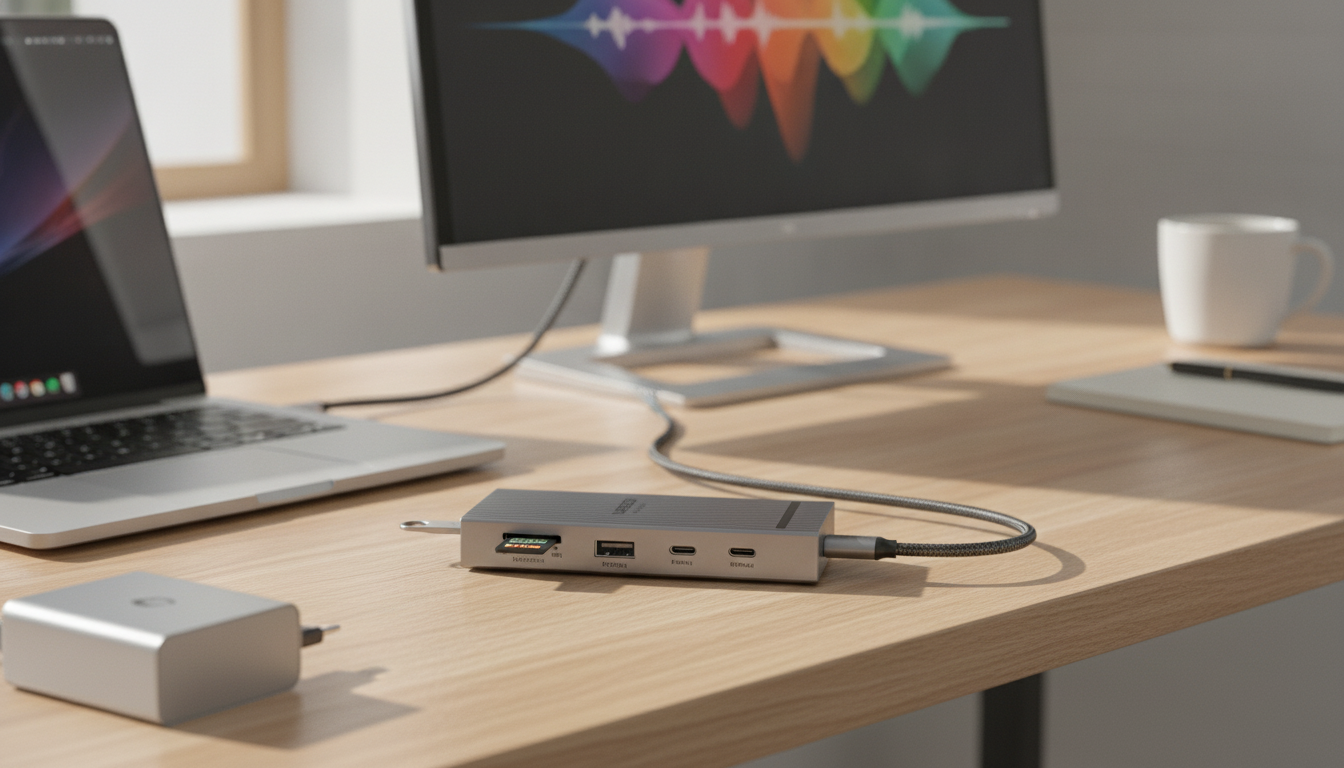
A single USB-C port can power a laptop, drive a 4K60Hz display, move large files quickly, and read camera cards—if the hub is built for it. This 8-in-1 USB-C hub combines high-refresh HDMI, 10Gbps data support, up to 100W Power Delivery pass-through, and SD/TF card slots for a compact desk or travel setup. It’s a practical way to stop juggling adapters and get back to a cleaner, faster workflow.
What this 8-in-1 hub helps accomplish
This style of hub is designed to turn one USB-C connection into the essentials most people reach for daily—display output, fast data, charging, and quick media import.
- Connect an external monitor or TV for smooth 4K output up to 60Hz when the host device supports it.
- Use high-speed USB data for fast transfers to SSDs, flash drives, and other peripherals (up to 10Gbps on supported ports).
- Charge a USB-C laptop or tablet through the hub with Power Delivery pass-through (up to 100W input; actual charging depends on host limits).
- Import photos and videos directly from SD or microSD (TF) cards without a separate reader.
- Reduce cable clutter by consolidating common ports into one compact accessory.
At-a-glance features
| Feature |
What it means for daily use |
| 4K60Hz HDMI |
Smoother cursor motion and clearer text than 30Hz for supported monitors and devices |
| 10Gbps data support |
Faster file transfers with compatible USB 3.2 Gen 2 storage and cables |
| PD up to 100W pass-through |
Power can be fed to the laptop/tablet through the hub while ports stay in use |
| SD + TF card slots |
Simple media offload for cameras, drones, and handheld devices |
| 8-in-1 design |
Multiple functions from a single USB-C connection for travel or minimal desks |
Ports and performance expectations
USB-C hubs are only as capable as the device they’re connected to. Understanding what your laptop, tablet, or handheld actually supports helps set expectations and avoids the “why am I only getting 30Hz?” surprise.
- 4K60Hz video output typically requires a device/port that supports DisplayPort Alt Mode over USB-C and the right HDMI version and cable.
- 10Gbps data rates require a host that supports USB 3.2 Gen 2 over USB-C and a compatible device; many accessories fall back to slower speeds.
- Power Delivery is pass-through: the charger connects to the hub, then the hub negotiates power to the host device; the hub also needs a small amount of power for operation.
- SD and TF (microSD) card performance depends on card class and the reader’s interface; faster cards yield better results.
- Using multiple high-bandwidth functions at once (for example, 4K video plus fast storage transfers) can increase heat and may share bandwidth depending on the host implementation.
Compatibility checklist before buying
- USB-C port supports video (DP Alt Mode): required for HDMI output through a USB-C hub.
- Host supports 4K60 output: some systems cap external display at 4K30 or 1080p.
- USB 3.2 Gen 2 support (10Gbps): needed to reach top transfer speeds.
- Adequate USB-C PD charger: a 65W–100W charger is often used for laptops; device limits apply.
- Quality HDMI and USB-C cables: cables can be the bottleneck for both video stability and data speed.
Real-world use cases
This hub fits into everyday setups where one reliable adapter can replace several single-purpose dongles.
- Home office: run a 4K monitor, connect keyboard/mouse and storage, and keep a laptop charged with one plug-in.
- Content creation: offload footage from SD/microSD while simultaneously backing up to a fast external drive.
- Travel setup: turn a single USB-C port into a mini docking solution for hotel-room TVs and quick charging.
- Student workflows: connect to classroom displays and keep peripherals attached without repeatedly swapping cables.
- Handheld gaming and tablets: add HDMI to a TV and use storage or controllers where supported.
Charging and Power Delivery notes
Power Delivery can be confusing because “100W” often gets interpreted as “my laptop will always charge at 100W.” In practice, the charger, cable, and the device’s own charging profile all negotiate what’s actually delivered.
For deeper technical details, the USB Power Delivery specification resources from USB-IF explain how negotiation profiles work across devices and cables.
Display output tips for 4K60 stability
If you want a quick reference on what HDMI 2.0 enables for 4K refresh rates, see the HDMI 2.0 specification overview from HDMI Licensing Administrator.
Care, heat, and reliability
Shop in-stock picks
FAQ
Does 4K60Hz work with any USB-C port?
No. 4K60Hz typically requires a USB-C port that supports video output via DisplayPort Alt Mode (or a compatible Thunderbolt/USB4 implementation) and a host device that can drive 4K at 60Hz.
Will a 100W PD hub charge a laptop at 100W?
Not necessarily. The hub can pass through up to 100W, but the charger, cable, and laptop all negotiate the actual wattage, and many laptops cap charging below 100W.
Can SD and TF cards be used at the same time?
It depends on the hub’s internal design. Many hubs support only one card interface at a time or share bandwidth, so it’s best to test simultaneous use with your specific cards and workflow if that capability matters.
Recommended for you





Leave a comment