-
Shop
- Adidas
- Advanced Technologies
- AI Career Advantage Collection
- AI Skills for Creators & Freelancers
- AI Client Management
- AI Ethics
- AI Mindset
- AI Tools & Prompts
- AI Writing & Content Creation
- Audio, Voice & Music
- Design & Visual Creation
- Email, Messaging & Communication
- Freelancing & Business
- Marketing, Ads & Conversion
- Productivity, Workflow & Automation
- SEO & Search Optimization
- Social Media Content & Growth
- Strategy, Planning & Analytics
- Video Creation & Editing
- AI Skills Mastery 2026 Collection
- Bathroom
- Best-Sellers
- Car Accessories
- Confidence
- Dating & Social Skills
- Digital Resources
- AI & Technology
- AI Skills
- Beauty
- Budgeting & Saving
- Car Buying & Ownership
- Cozy Feast Collection
- Electronics & Technology
- Entrepreneurship & Business Growth
- Financial Education
- Financial Independence
- Financial Mindset & Psychology
- Goal Setting
- Hobbies
- Home Styling & Organization
- Kitchen & Recipes
- Leadership
- Mindfulness
- Mindset
- Online Business
- Parenting & Child Development
- Personal Style & Fashion
- Pet Lifestyle & Wellness
- Positive Thinking
- Sleep Improvement
- Smart Life with AI
- Stress Management & Relaxation
- Travel Planning
- Wellness
- Yoga & Fitness
- Yoga & Mind-Body Practices
- Education & Learning
- Family & Parenting
- Fashion
- Furniture
- Gadgets
- Health & Beauty
- Health & Wellness
- Home & Garden
- Home Decor
- Home Electronics
- Kids & Babies
- Kitchen
- Kitchen Best-Sellers
- Lighting
- Luxury Brands Collection
- Nike
- Patio, Lawn & Garden
- Personal Growth
- Pet Care
- Pet Supplies
- Pets
- Smart Amazon Shopping
- Sport & Outdoors
- Stress Relief & Relaxation
- Travel
- Travel & Adventure
- Wealth
- Popular
- Best deals
M10 Wireless Bluetooth Earbuds: Easy Pairing, Daily Use
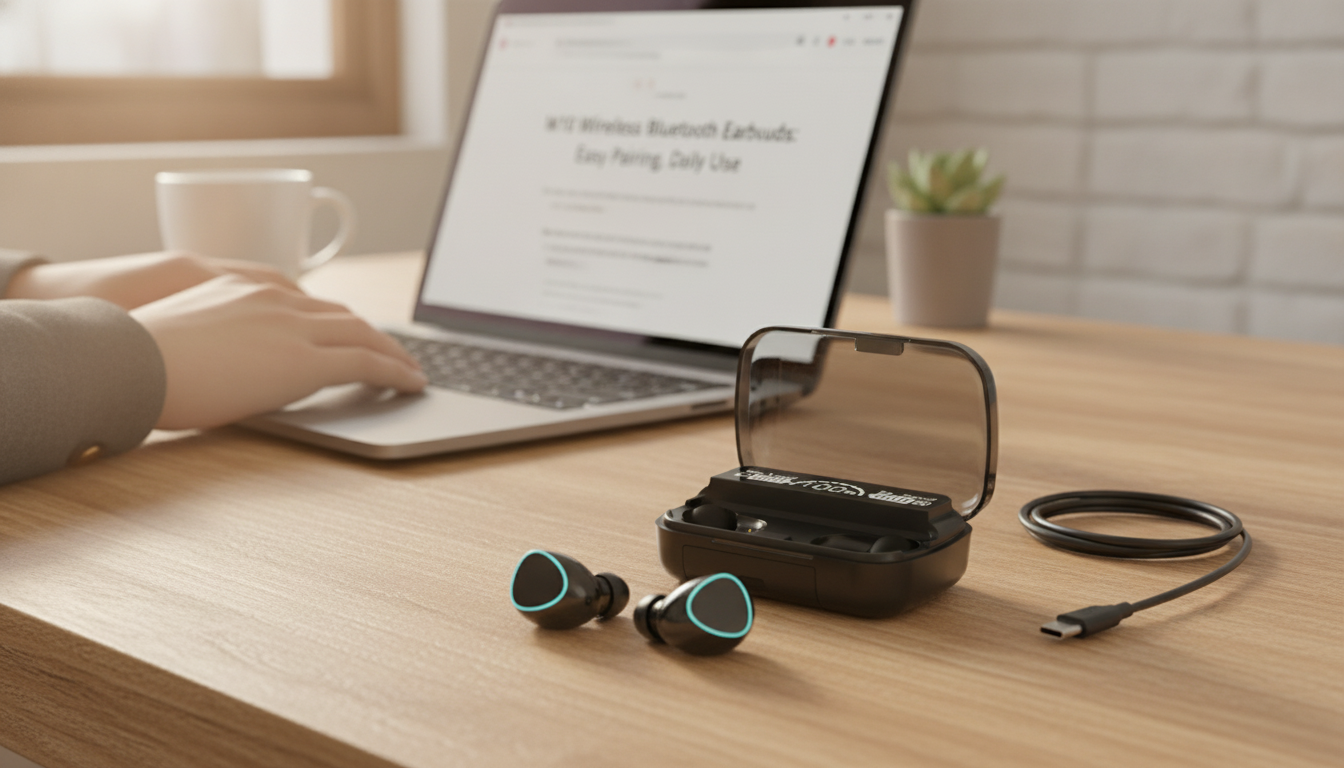
M10 Wireless Bluetooth Earbuds: Everyday Sound, Easy Pairing, Pocket-Friendly Price
Wireless earbuds are a simple upgrade for commuting, workouts, calls, and casual listening—no cables, faster pocket-to-ear use, and broad compatibility with modern phones, tablets, and laptops. The M10 Wireless Bluetooth Earbuds focus on practical daily use with a compact design and a budget-friendly price point, making them easy to keep on hand for everyday listening.
What Makes Wireless Earbuds Worth It
For many people, the biggest benefit of wireless earbuds isn’t a lab-measured spec—it’s how effortlessly they fit into daily routines. A good pair saves time, reduces tangles, and keeps your pockets and hands free.
- Cable-free convenience for walking, commuting, errands, and quick chores around the house.
- Fast switching between tasks like calls, music, podcasts, and short videos without plugging and unplugging.
- Better portability than over-ear headphones for day-to-day carry in a pocket or small bag.
- Wide device compatibility through Bluetooth for most phones, tablets, and many computers (learn more from the Bluetooth SIG technology overview).
M10 Wireless Bluetooth Earbuds at a Glance
The M10 earbuds are designed as a simple, value-oriented option—ideal for casual listening, everyday calls, and situations where you want a backup pair that won’t strain your budget.
- Designed for everyday listening and hands-free calls
- Works with Bluetooth-enabled devices (phones, tablets, many laptops)
- Fits easily in a pocket or small bag for on-the-go use
- Value-friendly option for backup pairs, travel, or casual listening
Quick Specs Snapshot
| Item | Details |
|---|---|
| Product | M10 Wireless Bluetooth Earbuds |
| Price | $11.51 (USD) |
| Availability | In stock |
| Product page | https://fancin.com/m10-wireless-bluetooth-earbuds/ |
Comfort and Fit for Daily Wear
In real-world use, comfort and seal often matter more than anything else. A stable fit helps the earbuds stay put while walking, riding transit, or doing light workouts—and a better seal can also make your music sound fuller.
- Prioritize stability first: If earbuds feel loose, a small adjustment can make a big difference.
- Try different ear tip sizes (when included) or adjust the insertion angle to improve the seal.
- A better seal boosts perceived bass and can help reduce outside noise in busy environments.
- Take short breaks during long sessions to reduce ear fatigue, especially on calls or long playlists.
Sound and Call Quality Basics (What to Expect)
Sound quality depends on the earbuds, the fit, and the source audio. For the best experience, treat your phone settings and listening habits as part of the “setup.”
- Fit affects sound: A snug seal can improve bass response and clarity.
- Recording quality matters: A well-mastered track will sound better than a heavily compressed stream.
- Use device settings: EQ, volume limits, and audio enhancements can change how earbuds perform.
- For clearer calls: Keep volume moderate and reduce background noise when possible.
If audio and video seem slightly out of sync, restarting Bluetooth or changing an app’s playback quality can help. Staying within a few feet of your phone (especially in crowded areas) may also reduce dropouts.
For healthier everyday listening, keep volume at a comfortable level and take breaks—NIH guidance on safe volume habits is a helpful reference: Keep Listening Devices at a Safe Volume (NIH).
Pairing and Everyday Use
Bluetooth pairing is usually quick, but small hiccups can happen when switching between devices or after a disrupted connection. Keeping a simple routine makes reconnecting much easier.
- Enable Bluetooth on your phone, tablet, or computer, then select the earbuds from the available device list.
- If pairing fails, remove (forget) the earbuds in Bluetooth settings and pair again.
- If only one earbud plays, place both back in the case (if available), then reconnect.
- Keep your device OS updated when possible for smoother connectivity and fewer random disconnects.
Tip for multi-device households: if someone else paired the earbuds earlier, “forgetting” the device on the other phone (or turning off Bluetooth there) can make pairing faster on your device.
Battery Habits That Help Over Time
Even budget-friendly earbuds can last longer with a few practical habits. Battery wear is normal over time, but it tends to worsen faster with heat and long storage at extreme charge levels.
- Avoid leaving earbuds at extremely high or low charge for long periods if not in use.
- Store in a cool, dry place to reduce battery wear.
- If the earbuds won’t power on, charge fully and try pairing again after a reset (steps vary by model).
- For travel, carry a charging cable or a small backup power source when needed.
Who the M10 Earbuds Are a Good Fit For
Buying Tips: What to Check Before Ordering
More In-Stock Finds (Great for Everyday Carry)
- M10 Wireless Bluetooth Earbuds — a budget-friendly option for calls, commutes, and casual listening.
- Luxury Men’s Automatic Mechanical Watch — a classic everyday accessory for workdays and weekends.
- Luxury 12-Inch Stainless Steel Decorative Tray for Home, Kitchen & Countertop — handy as a catch-all tray for keys, wallet, and small tech.
FAQ
How do wireless Bluetooth earbuds connect to a phone?
Turn on Bluetooth in your phone settings, put the earbuds into pairing mode, then select them from the list of available devices. If it doesn’t connect, forget the earbuds in Bluetooth settings and try pairing again.
Why does only one earbud play sound?
This can happen after an interrupted connection or partial pairing. Place both earbuds back to reset their connection (or power-cycle them), then reconnect from your phone’s Bluetooth menu; if needed, forget the device and pair again.
Are wireless earbuds safe to use every day?
Daily use is common, but volume and listening duration matter. Keep the volume at a comfortable level and take breaks during long sessions to reduce fatigue and support safer listening habits.
Recommended for you
Best 12-Inch Wheel Kick Scooter for Kids (Ages 5–9)
Jun 21, 2026













Leave a comment