


Transparent Wireless RGB Mechanical Keyboard Buying Guide
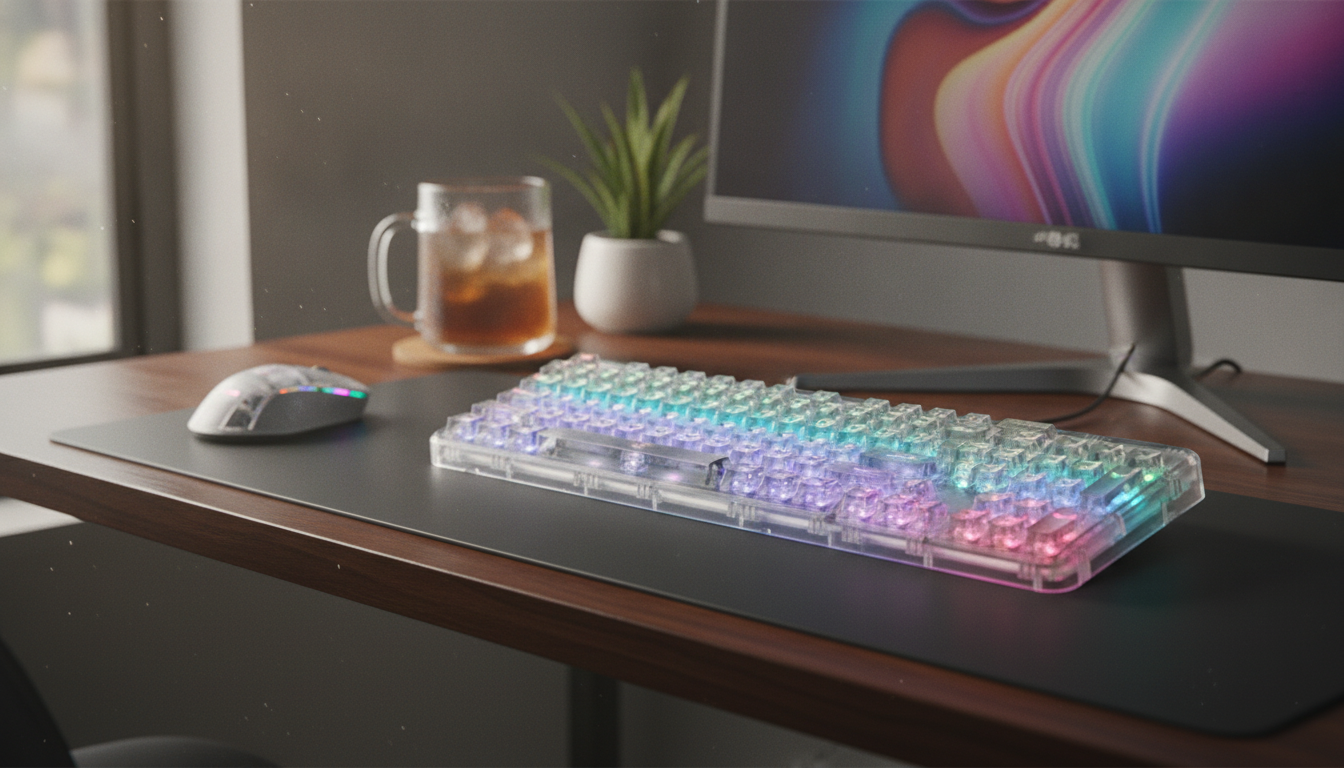
Wireless Transparent RGB Mechanical Keyboard: What to Know Before You Buy
A transparent mechanical keyboard with wireless connectivity and RGB lighting can completely change the vibe of a desk setup while keeping everyday typing and gaming responsive. Clear materials amplify underglow, mechanical switches deliver a more precise feel than most membrane boards, and wireless options help keep a workspace clean. The details that matter most come down to build quality, lighting control, connectivity, battery behavior, and how the keyboard fits your typing style.
If you’re shopping for a statement piece that still performs like a daily driver, the Wireless Transparent RGB Mechanical Keyboard is the type of design worth evaluating carefully—especially if you plan to use it across multiple devices or in a shared space.
What Makes a Transparent Mechanical Keyboard Different
The biggest difference is visual: transparent housing and/or keycaps allow RGB lighting to disperse through the board, creating a brighter underglow and a “floating” look that stands out on darker desk mats and minimalist setups. Because clear plastics transmit and reflect light differently than opaque cases, even simple effects can look more vivid at lower brightness.
On the performance side, mechanical switches provide a consistent actuation feel compared with membrane keyboards. The exact sound and feel depend on the switch type (linear, tactile, clicky) and on the keyboard’s plate and case design. A clear case can also subtly change acoustics, sometimes emphasizing higher-pitched tones unless dampened by a desk mat.
There are trade-offs: clear cases tend to show dust, fingerprints, and hairline smudges more easily. Regular wipe-downs keep the board looking crisp, and your surrounding environment matters more than you’d expect—monitor bias lighting, desk lamp warmth, and even the color of your desk mat can noticeably shift how the RGB appears through a transparent chassis.
Quick Specs to Check Before Buying
Before falling for the glow, confirm the practical details that affect daily use. Start with layout and size: full-size boards offer a numpad and complete navigation cluster, while compact layouts save space but may move or layer keys you use often. Make sure it includes the keys you rely on (arrows, function row, Delete/Home/End, etc.).
Next, look at keycap material and legends. Durable legends hold up better over time, and surface texture matters for comfort—some people prefer smoother caps while others type more accurately with a slightly grippy finish.
Switch feel and sound are the heart of the keyboard: linears for smooth presses, tactiles for a noticeable bump, and clicky switches for audible feedback. If you like to experiment, hot-swappable sockets make it far easier to change switches without soldering. Also pay attention to stabilizers on larger keys like the spacebar and Enter; good stabilizers reduce rattle and make the entire board sound more premium.
Feature checklist
| Feature | Why it matters | What to look for |
|---|---|---|
| Transparent case/keycaps | Brightness and diffusion of RGB | Even glow, minimal hotspots, clean seams |
| Mechanical switches | Typing feel and responsiveness | Preferred switch type; consistent actuation |
| Wireless mode | Cable-free setup | Stable connection, easy pairing, solid range |
| Wired mode | Charging and uninterrupted use | Low-latency feel; reliable USB connection |
| RGB controls | Customization and usability | On-board shortcuts and/or software control |
| Battery behavior | Time between charges | Auto-sleep, clear battery indicators, usable while charging |
Wireless Connectivity and Pairing Basics
For wireless reliability, reduce interference where possible. Crowded Wi‑Fi environments, busy USB 3.0 hubs, and a receiver tucked behind a metal PC case can all contribute to dropouts. Keeping a clearer line to the receiver (when applicable) and using a quality cable for wired fallback can make the experience feel more consistent. For deeper technical details on Bluetooth behavior across versions, the Bluetooth Core Specification is a helpful reference point.
RGB Lighting: Effects, Comfort, and Practical Control
If the keyboard supports software, confirm it works with your operating system and, ideally, saves settings to onboard memory. That way, your lighting and key preferences stick even when switching devices. For charging expectations and power delivery compatibility (especially with USB‑C), USB-IF’s USB Type-C resources offer useful background on standards and behavior.
Battery, Charging, and Daily Use Habits
Typing Feel, Sound, and Desk Setup Fit
If the keyboard will be used for calls, streaming, or shared rooms, switch choice and stabilizer quality matter. Quieter linear or “silent” variants can help reduce unwanted mic pickup, and stable, well-lubed stabilizers cut down on spacebar rattle. For general background on managing loud noise in shared environments, the CDC’s NIOSH guidance on protecting hearing is a solid reference.
Care and Cleaning for Transparent Builds
Related Picks for a Polished Setup
If you’re building a cleaner, more coordinated desk space, pairing a clear RGB keyboard with simple organization helps the whole setup look intentional. The Wireless Transparent RGB Mechanical Keyboard is the centerpiece, and a catchall surface like the Luxury 12-Inch Stainless Steel Decorative Tray for Home, Kitchen & Countertop can keep small items (USB drives, adapters, earbuds) from cluttering the area around your keyboard.
FAQ
Can a wireless mechanical keyboard be used while charging?
Many wireless mechanical keyboards support a wired USB mode while charging, so you can keep typing without interruption. Behavior varies by model, but using the included cable and a stable power source helps prevent disconnects.
Does RGB lighting significantly reduce battery life?
Yes—lighting is typically the largest power draw on a wireless keyboard. Lowering brightness, using a static color, and enabling sleep timers are practical ways to extend time between charges.
Are transparent keycaps harder to keep clean?
They can be, because smudges and dust are more visible on clear surfaces. A microfiber wipe-down and occasional keycap removal for deeper cleaning usually keeps them looking clear, and avoiding harsh solvents helps prevent clouding.















Leave a comment